Designing and Uploading Files for Printing
When engaging with online printing services, the foundation of a successful print project begins with proper design and file preparation. Ensuring that your files meet the specifications of the printing provider guarantees that the final product will match your expectations in quality and accuracy.

Creating Print-Ready Files
To start, it is crucial to work with high-resolution images and graphics. Most online printing companies recommend a minimum resolution of 300 dpi to ensure clarity and sharpness. Using vector-based designs for logos and text will help maintain crispness regardless of resizing. Always use the preferred color mode—typically CMYK—which reflects the ink colors used in the printing process, to prevent color discrepancies.
Utilizing Templates and Design Software
- Select templates provided by your printing service, if available, to ensure proper sizing and bleed margins.
- Create your designs using professional software like Adobe Illustrator, Photoshop, or similar programs that support high-resolution output and color management.
- Ensure all text is vectorized or embedded, and double-check font consistency to avoid issues during printing.
File Specifications and Submission
Each printing service will specify acceptable file formats, often including PDF, TIFF, or high-quality JPEGs. Following these guidelines is essential. When exporting your files:
- Set resolution to 300 dpi or higher.
- Use the CMYK color profile.
- Include bleed areas, typically 3 mm or as specified, to prevent white borders after trimming.
- Flatten layers if necessary to ensure compatibility.
Verifying and Uploading Files
Before submitting, carefully review your files using proofing tools to check for resolution issues, color accuracy, and overall consistency. Once confirmed, upload your files through the online platform provided by the printing service. Many sites offer online previews to confirm placement and design accuracy before final submission.
By paying meticulous attention to design and file preparation, you set the stage for a seamless printing experience that results in high-quality printed products. Proper preparation minimizes delays and ensures that the printed items accurately reflect your original concept, ready for distribution or display.
Designing and Uploading Files for Printing
When preparing your artwork for online printing, meticulous attention to detail in the design and file submission process significantly influences the quality of the final product. Understanding the technical requirements and following best practices ensures your prints meet expectations without delays or quality issues.

Design Creation and Software Selection
Start with professional design software capable of high-resolution output, such as Adobe Illustrator, Photoshop, or other vector-based programs. These tools support precise color management and ensure your design maintains clarity and vibrancy upon printing. For print projects involving text and graphics, vector files are preferred to prevent pixelation at larger sizes. When working with raster images, maintain 300 dpi or higher resolution to ensure crisp details and sharp images.
File Specifications and Export Guidelines
- File Formats: Commonly accepted formats include PDF, TIFF, and high-quality JPEGs. Confirm the preferred format from the printing service to avoid submission issues.
- Resolution: Maintain a minimum of 300 dpi to guarantee clarity and detail.
- Color Mode: Use CMYK color profiles to accurately represent colors during printing.
- Bleed: Incorporate bleed areas, typically 3 mm, to allow for trimming without losing design elements. Include bleed marks if necessary.
- Layer Management: Flatten layers when exporting files to prevent compatibility issues and ensure consistent output.
Verification Before Upload
Prior to submission, utilize proofing tools and preview functionalities to check for resolution integrity, color accuracy, and overall layout. These steps help identify potential issues early, reducing the risk of errors once the printing process begins. Many online platforms provide an image preview feature, allowing you to confirm the placement and appearance of your design before finalizing the order.
Uploading Files to the Online Platform
Most online printing services feature intuitive upload interfaces. Select your files, follow the prompts, and ensure to review the online preview provided by the platform. This step verifies that your design fits correctly within the printable area and aligns with your expectations. Pay attention to specific instructions regarding file size limits and naming conventions to streamline the process.
Impact of Proper Preparation
Proper file and design preparation reduces the need for reprints, minimizes costs, and ensures a professional finish. It also accelerates the ordering process by decreasing potential back-and-forth revisions. Making sure every detail aligns with the printing specifications is a fundamental part of creating high-quality printed products that meet your standards and those of your audience.
Ensuring Compatibility and Optimizing Files for a Seamless Printing Experience
When preparing files for online printing services, precision and attention to detail are vital to achieving professional results. Proper file setup begins with understanding the requirements of the chosen printing platform, which often specify particular file formats, resolution standards, and color modes. Typically, formats such as PDF, TIFF, or high-resolution JPEG are preferred for their compatibility and ability to preserve image quality. Maintaining a resolution of at least 300 DPI ensures clarity and sharpness, especially when dealing with detailed graphics or small text elements.
Color management is another critical aspect; converting your design to CMYK color mode aligns with printing processes, minimizing color discrepancies between your digital file and the final product. Including bleed marks—typically extending 3mm beyond the trim line—is a step often overlooked but crucial for preventing unwanted white borders or cuts during trimming. This extra margin guarantees that designs extend seamlessly to the edges of your printed piece, providing a professional appearance.

Layer Management and Proofing Procedures
When creating your design files, managing layers effectively can prevent unexpected issues during exporting. Flattening layers simplifies the file structure, avoiding potential compatibility problems and ensuring that the printed colors and effects translate as intended. Before finalizing your upload, leverage proofing tools offered by many online services. These previews allow you to verify placement, color accuracy, resolution, and overall layout, reducing the likelihood of costly mistakes or reprints.
Some platforms include interactive proofing or digital mockups, providing visual confirmation that your design meets expectations. Assess every element carefully—adjust margins, check fonts and images, and ensure that all critical details are within the print-safe zone. It’s equally important to check that the file size conforms to platform specifications, as overly large files can cause delays or upload failures.
Steps to Upload and Confirm Your Design
Uploading your files typically involves simple, guided steps. Users select their files from local storage, follow prompts regarding print options, and submit the design. Many services generate an online visual preview, facilitating a last-minute review before final submission. Carefully examine this preview to confirm that the design appears as intended within the printable area, and confirm that any adjustments needed have been made. Pay close attention to instructions regarding naming conventions and file naming consistency, which aid in order processing and tracking.

The Significance of Proper Preparation in Achieving Superior Prints
Investing time in thorough file and design preparation not only boosts the quality of the final product but also expedites the entire ordering workflow. Properly optimized files help reduce the need for back-and-forth revisions, thus saving both time and resources. When every detail aligns with specified printing requirements, you gain confidence that your printed materials will meet professional standards, whether for marketing collateral, personalized cards, or promotional items.
Attention to detail in preparing your files facilitates a smoother printing process, preserves color fidelity, and ensures sharp, consistent output. This meticulous approach supports achieving a polished, professional appearance that elevates your brand or personal project, leaving a lasting impression on your audience.
Designing and Uploading Files for Printing
Creating print-ready files is a critical step in ensuring your final product meets your expectations. When preparing files for online printing services, it is essential to adhere to specific guidelines regarding resolution, color profiles, and file formats. Typically, a resolution of at least 300 DPI (dots per inch) is recommended to achieve sharp and clear printing results. Files should be designed using the CMYK color mode, which aligns with the printing process and helps maintain color accuracy. Using incompatible color modes or low-resolution images often results in dull or pixelated prints, diminishing the quality of your materials.
Once your design is finalized, exporting your files in accepted formats—such as PDF, TIFF, or high-quality JPEG—is crucial. PDFs are generally preferred due to their ability to embed fonts and images, preserving layout integrity across devices. Before uploading, verify that your document includes bleed areas, safe zones, and crop marks if necessary. Bleed ensures that images or backgrounds extend beyond the trim edges, preventing unwanted white borders after cutting. Safe zones keep critical text and design elements away from the edges, reducing the risk of accidental trimming.

File Naming and Organization
Clear naming conventions and organized files help streamline the ordering process. Use descriptive, consistent names that include details like project name, version number, and date. This practice facilitates efficient tracking and reduces errors, especially when managing multiple orders or designs. Additionally, double-check that all files are finalized and free of mistakes before submission. Incorporate proofing steps, such as reviewing online visual previews, to confirm the design’s accuracy and layout. Attention to detail at this stage significantly reduces the likelihood of issues during printing and delivery.
Utilizing Online Upload Portals Effectively
Most online printing services provide intuitive upload interfaces that allow easy submission of files. Follow instructions precisely, ensuring files are uploaded in the correct folders or categories. Utilize any available tool features, such as cropping, cropping preview, or bleed adjustment options, to make necessary modifications. Confirm successful uploads and review preliminary visualizations to catch any discrepancies early. It is advisable to keep a copy of your original files and confirmation receipts for reference and record-keeping.
Understanding Online Printing Services
Online printing platforms have revolutionized access to high-quality printing, providing convenient options for individuals and businesses alike. They function by enabling users to select desired products, customize specifications, upload design files, and place orders through user-friendly interfaces. These platforms often feature a broad range of printing options, from standard business cards to large-format banners, accommodating diverse needs.
The technological advancements in online printing services have streamlined the entire process, eliminating the need for physical visits to print shops. Users can preview their designs, choose from multiple paper stocks, finishes, and binding options, all within a few clicks. Automated workflows help ensure consistency and accuracy, while integrated payment and shipping modules facilitate seamless transaction processing. Many providers also offer real-time estimations of costs and turnaround times, assisting users in budgeting and scheduling.

Key Features of Online Printing Platforms
- Easy product customization with templates and design tools
- Real-time pricing and quotation systems
- Multiple payment and shipping options
- Order tracking and management dashboards
- Customer support through chat, email, or phone
In addition, most platforms emphasize quality assurance through pre-press checks and color management tools. These features help guarantee that the finished print aligns with digital previews and customer expectations. The integration of user reviews and ratings also assists in evaluating the reliability and quality of different printing services, aiding well-informed decision-making.
Designing and Uploading Files for Printing
Successfully preparing your design files is a crucial step in achieving high-quality printed materials. It begins with understanding the specific requirements of the online printing service you select, as each platform may have its preferred file formats, resolution standards, and color settings. Typically, formats such as PDF, TIFF, or high-resolution JPEG are recommended for their compatibility and ability to preserve image quality. Ensuring that your files are created or converted at a minimum of 300 DPI guarantees crisp, clear results, especially for detailed artwork or small text.
Before uploading, double-check the bleed and margin settings. Most professional printing needs a bleed zone—usually about 0.125 inches—to account for slight shifts during trimming. This prevents unwanted white borders or cut-offs around your design. Use proper color modes like CMYK, which aligns with professional printing standards, instead of RGB, which is better suited for digital screens. When designing, consider the impact of finishes, coatings, or special effects, and communicate these preferences clearly within your files if the platform supports customization.
Uploading files often involves an intuitive interface, where you can drag and drop or select files from your device. Before finalizing your submission, utilize preview options offered by many online printing platforms to verify alignment, image placement, and overall aesthetics. This step helps identify issues before the printing process begins, saving time and costs associated with reprints or adjustments. Additionally, optimize file sizes for faster uploads without compromising quality, and ensure all fonts are embedded or converted to outlines to prevent font mismatches.
Many online services also offer design templates and online editing tools, which can streamline the process. These tools enable customization directly within the platform, allowing users to add text, images, or logos with precision. When leveraging these features, ensure your design adheres to the platform’s specifications to prevent issues during printing. If you require complex designs or brand-specific assets, consider working with professional graphic designers who can prepare files according to the best practices for online print services, ensuring a seamless transition from digital design to physical product.
Best Practices for Preparing Files for Online Printing
- Use high-resolution images, ideally 300 DPI or higher.
- Save files in recommended formats such as PDF/X-1a, TIFF, or optimized JPEG.
- Include bleed areas (typically 0.125 inches) and safe margins.
- Convert all text to outlines or embed fonts to prevent display issues.
- Adjust color settings to CMYK mode for accurate color reproduction.
- Perform color proofs or soft proofs to visualize the final output accurately.
- Review and proof your files thoroughly before submitting.
Adhering to these guidelines enhances the likelihood of a successful print job, minimizing errors and facilitating consistent results across different products. Whether creating business cards, flyers, posters, or banners, meticulous file preparation lays the foundation for professional-quality prints produced through reliable online printing services.
Designing and Uploading Files for Printing
Effective online printing begins with preparing your design files meticulously to ensure the final product matches your expectations. Start by selecting the appropriate dimensions and resolution—aim for at least 300 DPI to guarantee sharp, crisp images and text. Using vector-based files, such as Adobe Illustrator or CorelDRAW formats, is recommended for logos and illustrations, as they scale without loss of quality.
When creating your design, incorporate the necessary bleed areas, typically 0.125 inches around each edge, to facilitate borderless printing. Adding safety margins helps prevent important content from being cut off during trimming. All text should be converted to outlines or embedded fonts, ensuring they display correctly regardless of the viewer’s system.

Color management is another critical aspect; convert your files from RGB to CMYK mode to reflect the colors accurately during printing. Always double-check your artwork by soft proofing—viewing a simulation of the final print on your monitor—to identify any potential color discrepancies or layout issues. Save your completed file in compatible formats such as PDF/X-1a, TIFF, or optimized JPEG, as specified by your chosen online printing service.
Most online platforms offer upload interfaces that facilitate straightforward file submission. Ensure your files are correctly named and organized for easier processing. Some services may offer automated tools that validate files before submission, flagging issues like low resolution or missing bleed areas. This proactive step helps prevent delays or the necessity for re-submission.
For complex projects or brand-specific assets, consider working with professional graphic designers who are familiar with print specifications. They can prepare print-ready files that align with industry standards, simplifying the upload process and enhancing the overall quality of your printed materials.
Once your files are ready, follow the platform’s upload instructions carefully, ensuring that the correct files and specifications are used. Double-check the settings and preview the layout on the platform’s interface if available. Clear, high-quality files along with proper instructions increase the likelihood of achieving the desired print outcome without unforeseen errors.

Designing and Uploading Files for Printing
Efficiently preparing your files for online printing services is fundamental to achieving professional results. The process begins with creating artwork that complies with the technical specifications of the chosen platform. High-resolution images, typically 300 DPI or higher, ensure sharp, clear prints, especially for detailed graphics or small text. Color profiles should be converted to CMYK to align with printing standards, minimizing color shifts between digital preview and physical product.
When designing, it’s essential to incorporate appropriate bleed areas—extra space beyond the final dimensions—to prevent unwanted borders or edges due to alignment errors during cutting. Including safe margins, usually around 3 mm inside the final trim size, keeps vital elements from being cut off. Consistency in font usage, clear layering, and vector graphics where applicable contribute to a polished final product.

Before uploading, verify file formats accepted by your chosen service. Commonly accepted formats include PDF/X-1a, TIFF, and optimized JPEGs. Using these formats preserves image quality and ensures compatibility. Save copies of layered files for any future edits, and keep an organized file structure to streamline the submission process.
Most online printing platforms provide intuitive interfaces for file uploads. Follow instructions precisely, selecting the correct files and specifications, such as paper type, print finish, and quantity. Many platforms also offer preview features—review these carefully to check layout, color fidelity, and overall appearance. Ensuring your files are free from errors before submission reduces the chances of printing delays and additional costs.
For intricate projects or branding materials, consulting professional graphic designers can be advantageous. They can prepare print-ready files that adhere to industry standards, reducing technical issues during printing. When uploading, label files clearly and specify any special instructions to enhance the accuracy and efficiency of the printing process.
Accurate file preparation and careful upload procedures are crucial to a successful online printing experience. This diligent approach helps maintain consistency, accuracy, and quality in every printed piece, ensuring your final product meets your expectations and professional standards.
Understanding Online Printing Services
Online printing services have revolutionized the way businesses and individuals obtain printed materials, offering convenience, customization, and rapid turnaround. These platforms connect users with a wide array of print products—ranging from business cards and flyers to banners and posters—without the need to visit physical print shops. Through user-friendly interfaces, clients can customize designs, select specifications, and place orders conveniently from any location.
Key features of these services include automated quoting systems, real-time previews, and instant order tracking. Many platforms also offer extensive options for paper stocks, finishes, and binding styles, providing a level of personalization comparable to traditional print shops. The ability to upload artwork directly online streamlines the process, eliminating the need for physical proofing or complex interpersonal communication.

These services employ advanced digital printing technologies, ensuring consistent color reproduction and sharp image quality. Their integrated quality control measures, such as automated file checks and color management, help deliver reliable results. Additionally, online print providers often operate multiple fulfillment centers, allowing for rapid production and shipping across different regions.
Clients benefit from transparent pricing models, detailed product descriptions, and contractual specifications that promote clarity and confidence. Support teams, accessible via chat or email, are available to assist with design concerns or technical issues, further ensuring a smooth ordering experience.
Printing Process and Quality Assurance
Once files are uploaded, the printing process commences with digital preparation: files are confirmed for quality and compatibility, then formatted for the specific printing technology. The most common methods include inkjet and laser printing, each suited for particular item types and volume requirements. For large runs, offset printing might be employed due to its cost-effectiveness at scale.
Throughout production, quality assurance protocols are critical. These involve color calibration, inspection of sample prints, and consistency checks across batches. Automated systems flag issues such as color mismatches, resolution problems, or mismatched registration, helping prevent flawed materials from proceeding further in the process. Some providers also perform manual inspections at critical stages, especially for high-value or highly detailed jobs.
Advanced printers utilize color management systems to ensure fidelity between digital files and printed outcomes. Finish options—including matte, gloss, or satin coatings—are applied during the final stages, enhancing durability and visual appeal. After printing, items undergo quality checks for defects, color accuracy, and finishing quality before packing and dispatch.

Types of Printing Products Available Online
Online printing services provide an extensive range of products tailored to diverse needs. Standard business essentials include:
- Business cards with customizable layouts, finishes, and materials
- Brochures and flyers for marketing campaigns
- Posters and banners for events and advertising
- Labels and stickers for branding and product packaging
- Stationery items such as letterheads, envelopes, and notepads
Beyond these, clients can access specialized items like car wraps, trade show displays, and customized packaging solutions. Many services also offer eco-friendly materials, sustainable printing options, and unique finishes such as embossed effects or foil stamping, expanding creative possibilities.
Delivery, Shipping, and Turnaround Times
Timely delivery is a significant advantage of online printing services. After finalizing an order, production times typically range from 24 hours to several days, depending on the complexity, volume, and customization. Express options are often available for urgent needs, with expedited shipping methods like overnight or two-day delivery offering quick turnaround solutions.
Shipping providers collaborate with delivery networks to ensure safe and prompt arrival. Tracking features integrated into the online platform allow clients to monitor progress from production to delivery, providing peace of mind and scheduling flexibility. For region-specific services, local fulfillment centers shorten transit times and reduce shipping costs.
In cases of bulk orders, detailed scheduling and communication with customer service are recommended to coordinate production and delivery expectations accurately. Clear understanding of lead times helps prevent project delays and ensures materials arrive ready for timely distribution or event use.

Designing and Uploading Files for Printing
When preparing files for online printing services, it's essential to follow established standards to ensure high-quality results. Most printing providers specify particular file formats, resolution requirements, and color modes that optimize compatibility and output quality. Typically, PDF files are preferred due to their ability to preserve fonts, images, and layout integrity across different systems.
Resolution plays a crucial role; a minimum of 300 DPI (dots per inch) is recommended for clear, crisp images and text. Using vector-based formats like AI or EPS is advisable for logos and graphics that require scalability without loss of quality. Embedding fonts and flattening layers in your files help avoid unexpected printing issues caused by missing fonts or unsupported transparency effects.
Color settings should typically be converted to CMYK mode to match the printing process, as RGB files might result in color discrepancies. Color profiles like ISO Coated v2 or U.S. Web Coated SWOP are commonly used and help maintain color consistency across different devices and presses.
Proper file preparation also involves double-checking bleed and margin settings. Most print projects require a bleed area—usually 0.125 inches—to allow for trimming without sacrificing essential content. Including crop marks on your files helps guide the finishing process, ensuring that the final product aligns with your design intentions.
Uploading Files to the Online Platform
Once files are finalized, the upload process typically involves a user-friendly interface where you can select your project specifications, choose quantities, and upload your artwork. It’s advisable to review your files within the platform’s preview feature to check for placement, color accuracy, and completeness before confirming your order.
Many online printing services offer file validation tools that automatically detect potential issues such as low resolution, missing fonts, or color inconsistencies. Utilizing these tools helps prevent delays or unexpected results during production.
It's recommended to keep backup copies of the original files and any variations sent during the ordering process. Clear organization of these documents facilitates efficient revisions, reprints, and future projects.
Ensuring Smooth Communication with Your Printer
Providing detailed instructions or specifications—such as preferred paper stock, finish, or special effects—can significantly improve the final outcome. Corresponding with customer service or technical support teams during the file upload process can clarify any uncertainties and ensure that your material is set up correctly for high-quality printing.

Designing and Uploading Files for Printing
Creating design files suited for online printing services requires meticulous attention to detail. The initial step involves designing your artwork in a high-resolution format, ideally at 300 DPI, to ensure sharpness and clarity in the final printed product. Using vector-based programs like Adobe Illustrator for logos or minimal design elements helps maintain scalability without loss of quality. For photographic images, ensure they are high-resolution and color-accurate to prevent pixelation or dullness post-print.
Careful consideration of color modes is essential. Converting your design files from RGB to CMYK color space aligns with the printing process, ensuring color accuracy and consistency. Incorporating bleed margins, generally around 0.125 inches, accounts for trimming discrepancies, preventing unprinted edges or white borders on your final product. Additionally, including crop marks inside your design helps the printer identify final trim lines precisely.
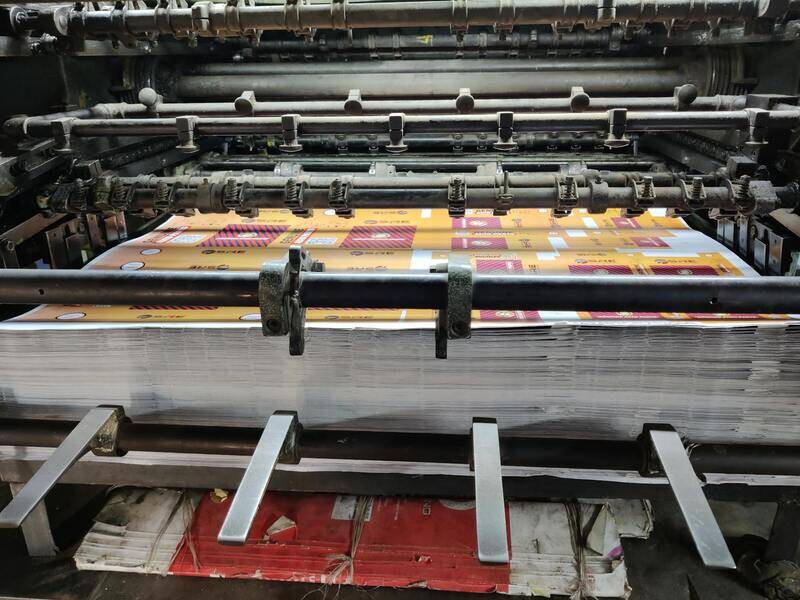
Uploading files to an online printing platform involves navigating a streamlined interface where you can select specifications such as size, paper type, and quantity. Prior to submission, it’s prudent to preview your submission within the platform, checking for text truncation, color discrepancies, or misplaced design elements. Many platforms include file validation tools that automatically scan for issues like low resolution, missing fonts, or overprint problems — addressing these before finalizing your order minimizes production delays.
Maintaining organized backups of your original and edited files ensures smooth revisions if adjustments are needed later. Clear documentation of design versions, specifications, and communications with the printing service creates an efficient workflow, avoiding confusion during the production cycle.
Design and File Preparation Tips
- Use high-resolution images at 300 DPI for photographic elements.
- Convert colors to CMYK to match printer output.
- Include bleed margins and crop marks for precise trimming.
- Embed fonts or convert text to outlines to prevent font substitutions.
- Validate files with built-in tools to detect resolution or format issues.

Effective communication with the online printing service enhances the overall quality. Detailed instructions regarding paper choice, finishes, or special effects help the printer deliver a product aligned with your expectations. Utilizing customer support channels for questions about file specifications or process procedures can address potential concerns proactively, resulting in smoother production and satisfying outcomes.
Designing and Uploading Files for Printing
Creating files suitable for online printing services involves meticulous attention to detail and adherence to specific technical standards. When preparing your design, the first step is to ensure that all images and graphics are of high resolution, ideally 300 dots per inch (DPI). This resolution guarantees clarity and sharpness in the final printed product, avoiding pixelation or blurriness.

Color management is equally important. Converting your color profiles to CMYK, the standard color model used in printing, ensures that the colors you see on your screen will be accurately reproduced on paper. Using RGB colors can result in unexpected color shifts, so always convert before submitting your files.
Designers should incorporate bleed margins—usually around 3mm—and crop marks into their files. Bleeds prevent unwanted white borders after trimming, especially when designs extend to the edges of the material. Properly marked crop lines guide the printer during trimming, helping maintain design integrity.
Embedding fonts or converting text to outlines eliminates font substitution issues during printing. This step ensures that your chosen typography appears as intended, regardless of available font files on the printer’s system. Prior to submission, validate files using built-in tools provided by many online printing platforms. These tools scan for issues like low resolution, missing fonts, or incorrect formats, allowing you to make necessary adjustments in advance.
Organized file management is vital. Save backup copies of your original and project-specific files with clear version labels. Detailed documentation of your design specifications, including paper type, finishing options, and special effects, facilitates smooth communication with the printing provider. Clear instructions help prevent misunderstandings that could lead to delays or subpar results.
Effective Communication with the Printing Service
Delivering comprehensive instructions enhances the final product. Specify paper quality, finishes such as matte or gloss, and any custom effects like embossing or foil stamping. If you have specific color requirements or unique design elements, communicate these explicitly. Many online printing services offer expert support channels—using these resources to clarify your needs can prevent costly errors.
Additional Tips for File Preparation
- Use a color-proofing mode to simulate how colors will appear once printed.
- Check for any embedded transparent layers or effects that may not copy well in print.
- Keep your files within the maximum size limits specified by the printing service.
- Consider creating a test print or proof if your order involves complex designs or high-value items.

By meticulously preparing and organizing your files, you improve the efficiency of the printing process and increase the likelihood of achieving exactly the results you envision. This preemptive diligence also reduces the need for reprints, saving both time and costs in the long run.
Designing and Uploading Files for Printing
Preparing your digital files correctly is essential to achieve high-quality results in online printing services. Accurate design preparation ensures that the final product accurately reflects your vision while minimizing the risk of errors, delays, or additional costs. Start by understanding the specifications provided by your chosen printing provider, including preferred file formats, resolution requirements, and color modes.
For most professional online printing platforms, a high-resolution PDF is the recommended file type, as it preserves design details and supports embedding fonts and images without quality loss. Ensure that your design files are set to the correct color mode, typically CMYK, which aligns with printing standards for consistent color reproduction. Avoid making design adjustments in RGB unless specifically instructed, as this may lead to color discrepancies in the final print.
Verify that your artwork includes safe margins and bleed areas as specified by the printer. Bleed zones extend beyond the trimming edge to prevent unwanted white borders, especially when designing for edge-to-edge printing. Incorporate markups like crop marks and registration guides if asked, which facilitate precise trimming during production.

Double-check your files for any embedded effects or transparent layers that might not translate well onto print. Use a dedicated color proofing mode to simulate colors before submission, ensuring expected results. Consider creating a test proof if your design involves complex elements or high-value items, as this allows you to review colors, fonts, and alignment before the full run.
Effective Uploading Process
Most online printing services provide an intuitive interface for uploading your Files, often through a secure portal. Compress large files where necessary to facilitate smooth uploads, but avoid reducing quality. Follow all instructions regarding naming conventions and accompanying instructions; clear labeling can help streamline production and delivery.
Utilize any built-in preview features to review your submission before finalizing your order. Confirm that all details, from design placement to quantity, are accurate. Once satisfied, confirm your order and await confirmation from the printing provider, which ensures that your files are stored securely for the printing process.
Maintaining File Integrity and Security
Ensure that your files are stored securely during the upload process, especially if they contain sensitive information or proprietary designs. Many platforms offer secure servers or encrypted transfer options to protect your data. After printing is complete, verify that any digital copies are stored responsibly, either for future updates or reprints, adhering to your organization’s data security policies.
Designing and Uploading Files for Printing
Preparing digital files correctly is crucial to achieving high-quality printed materials through online printing services. File preparation begins with an understanding of the appropriate file formats, resolution, color mode, and layout specifications recommended by the printing provider. Typically, PDF, TIFF, or high-resolution JPEG files are preferred, with a resolution of at least 300 DPI (dots per inch) to ensure clarity and sharpness in the final product.
When creating your designs, use CMYK color mode rather than RGB, as this aligns with the color reproduction process of most printers. This minimizes color shifts between on-screen display and printed output. It is also beneficial to incorporate bleed areas, which extend the design beyond the trim line, usually by 0.125 inches, to prevent unwanted white borders after trimming. Safe margins within the trim line help avoid cut-off of important text or graphics.
File Naming and Organization
Consistent and clear file naming conventions facilitate smoother production workflows. Include relevant details such as project name, date, and version number to avoid confusion. Organize your files and any supplementary instructions in a dedicated folder to streamline the upload process and minimize errors.
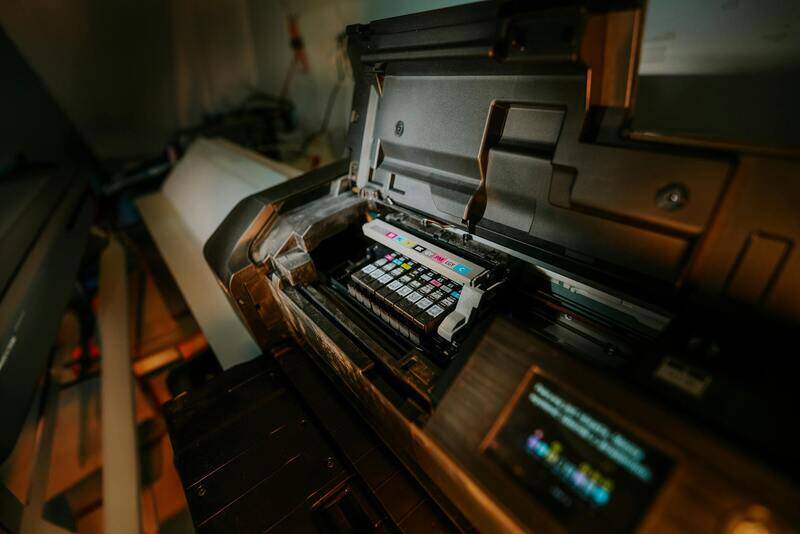
Prior to upload, verify that your files conform to the specifications provided by your chosen online printing service. Many providers offer online file check tools or templates to assist in achieving optimal results. Compress large files appropriately to reduce upload time without compromising quality, utilizing ZIP or other archive formats if necessary.
Uploading Files Securely and Efficiently
Most online printing services feature a secure upload portal where your files can be transmitted safely. It is recommended to use cloud storage or direct upload methods provided by the platform, ensuring a stable internet connection to prevent corruption or dropped uploads. Consider uploading multiple smaller files instead of one large file, which can help ensure successful transmission and easier troubleshooting if issues arise.
Many platforms include preview options, allowing you to review your design before final submission. Take advantage of this feature to verify placement, color accuracy, and overall layout. Confirm all order details and upload all necessary files before proceeding to checkout, as missing or incorrect files can lead to delays or subpar results.
Maintaining Fidelity and Data Security
Secure file storage throughout the upload and printing process safeguards your intellectual property and proprietary designs. Use platforms that employ encryption or secure servers for data transmission. Once the printing process is complete, download or archive digital copies responsibly, adhering to your organization’s data security policies.